
UI and UX Design
Interfaces designed around how people actually move through your product. Research, wireframes and a clickable prototype tested with real users, so the expensive problems are found while they are still cheap.

What it is, and why it matters
Design is usually judged on how a screen looks in a review meeting. The more useful question is whether someone who has never seen it can finish the task without help, which is a different thing and much easier to test than people assume.
Five people attempting the real task on a clickable prototype will surface almost every serious problem in your flow. It takes a day. Finding the same problems after launch costs a release cycle and a difficult conversation about who signed it off.
So the sequence is deliberate. Understand the task, sketch it cheaply, make it clickable, watch people use it, and only then make it beautiful. Visual polish applied to a broken flow just makes the failure harder to argue with.
Who this is for
A good fit if
- People have to complete a task, not just read a page
- You can find five users or close approximations for a test session
- The build has not started, or can pause for a fortnight
- You want the reasoning behind decisions, not just the screens
Probably not if
- The build is already finished and you want it made attractive
- Design decisions get made by whoever is most senior in the room
- You need a marketing site, which is website design work
- There is no appetite to change the flow if testing says it does not work
What is included
| Deliverable | How often |
|---|---|
| Stakeholder and user interviews | Onboarding |
| Task and flow mapping | Project |
| Wireframes for every screen | Project |
| Clickable prototype | Project |
| Usability testing with five users | Per round |
| Interface design, all states | Project |
| Responsive and mobile layouts | Project |
| Design system and components | Project |
| Accessibility review | Pre handover |
| Developer handover with specifications | Project |
| Build review against the design | Pre launch |
How it fits together
Your first 90 days
- Week 1
Understand the task
Interviews with your team and with people who use the product, plus a walk through the current version if one exists. We are looking for where people hesitate, improvise or give up, not for opinions about layout.
- Week 2
Sketch it while it is cheap
Flows and wireframes, deliberately unstyled. Reviewing structure while looking at finished visuals is almost impossible, and this is the only stage where changing your mind costs nothing.
- Week 3
Make it clickable and watch
The prototype gets tested with five people attempting the real task. You watch at least one session live, because reading a summary of someone failing is far less persuasive than seeing it.
- Weeks 4 to 6
Design properly, then hand over
Interface design covers every state, including empty, loading and error, which are the ones normally discovered during build. Handover includes specifications and a walkthrough with the developers.
What you actually receive
The prototype is the main deliverable, not a slide deck. You click through the real task on your own phone or laptop, which is a much better review than looking at exported screens.
Test findings come with clips: the moment someone hesitated, and what they said. Three minutes of that ends most design arguments faster than any document.
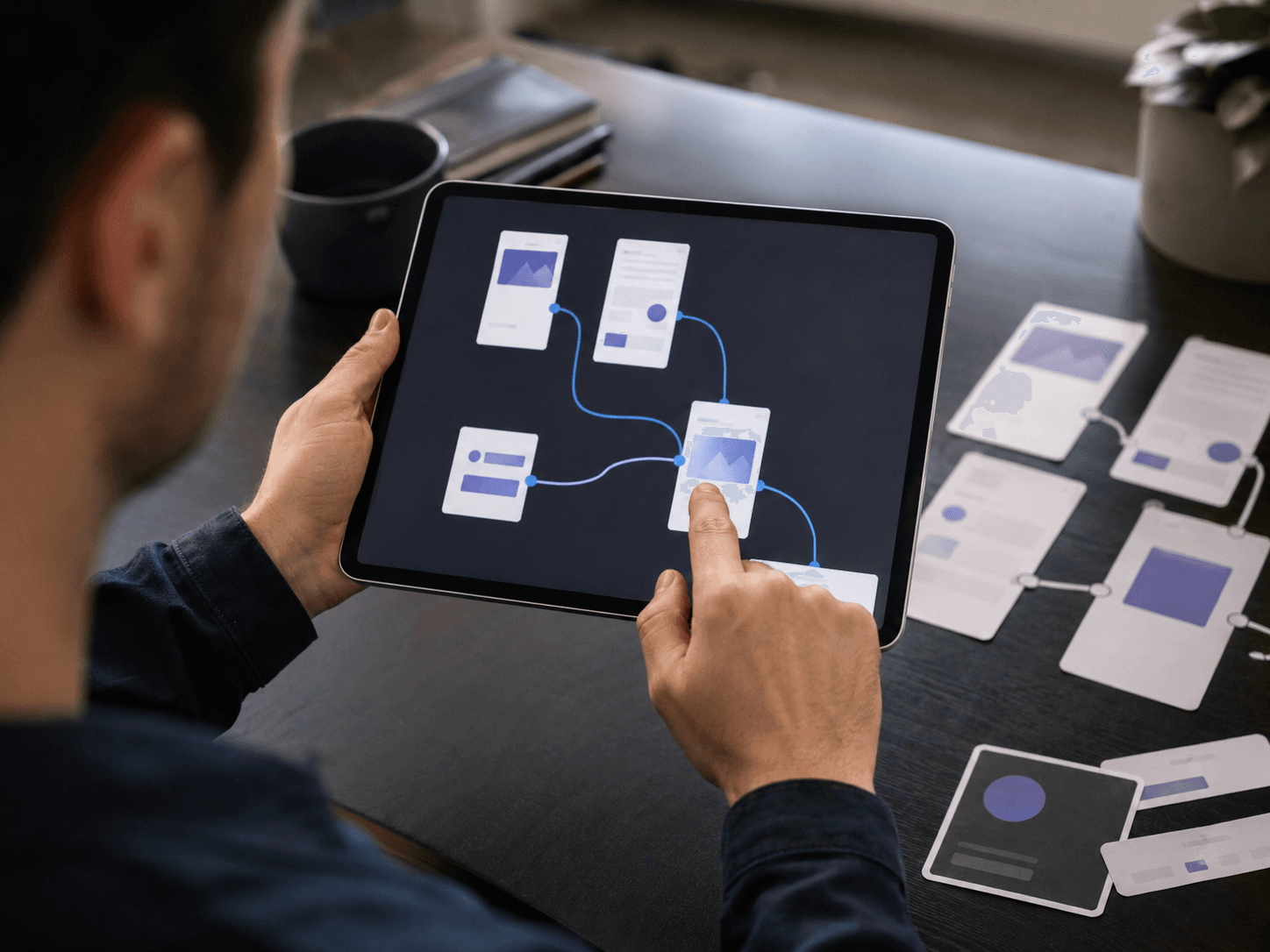
- The full task, clickable, on a real device
- Every state including empty, loading and error
- Test findings ranked by how many people hit each one
- What changed after testing, and what we chose not to change
Metrics we move
Task completion
Measured before and after the redesign
Share of test users finishing without help
Time on task
Shorter is usually better, with exceptions
Timed during usability sessions
Problems found before build
The whole point of the service
Issues fixed at prototype stage rather than after launch
Support tickets on the flow
Checked 60 days after launch
Tickets mentioning the redesigned journey
Where this usually goes wrong
The usual mistake: Going straight to high fidelity screens because they are what stakeholders want to see.
What we do instead: Wireframe first. Polished visuals stop people questioning the structure underneath.
The usual mistake: Skipping testing because five people is not statistically significant.
What we do instead: You are finding problems, not measuring a population. Five people find most of them.
The usual mistake: Designing only the happy path and letting developers invent the error states.
What we do instead: Design empty, loading and error states. That is where users actually get stuck.
The usual mistake: Letting the most senior person in the room settle design disagreements.
What we do instead: Put the prototype in front of users and let the recording decide it.
Questions we get asked
How do we get started?
Book a free consultation. We look at where things stand today, agree what to fix first, and send a written scope before any work begins.
How is the cost decided?
Every engagement is scoped to your goals, the size of the work and your timeline. You get a written proposal after the consultation, so the cost is clear before anything starts.
How will we know it is working?
We agree the measures at the start, then report against them in plain language, with the numbers shown so you can check them yourself.
Who will we work with?
A named lead who knows your account, backed by the specialists the work needs. You always know who to message.
Do you work in Arabic as well as English?
Yes. Content, campaigns and reporting can run in Arabic, in English, or in both, depending on who your customers are.
Can you work alongside our own team?
Yes. We can take on the whole service or fill the gaps around your in house team, and hand over cleanly if that ever changes.
What do you need from us?
Access to the accounts involved, one person who can approve work, and an honest picture of what has been tried before.
Explore our other services
- SEO, GEO & AEORank for what buyers search, and get cited by the AI answers they ask instead.Explore the service
- Local SEOGet found on Google Maps and in near me searches across Dubai and the UAE.Explore the service
- Performance MarketingCampaigns measured on pipeline and revenue, not impressions and reach.Explore the service
- Google Ads ManagementSearch, shopping and display, run tight so the budget lands on buyers.Explore the service
- Meta Ads ManagementFacebook and Instagram campaigns built around creative that keeps working.Explore the service
- Social Media ManagementAn always on presence, planned and produced so the calendar never runs dry.Explore the service
- Content CreationCopy and assets that answer real questions and earn the click.Explore the service
- Website Design & DevelopmentA digital home that attracts new customers and turns visits into enquiries.Explore the service
- Mobile App DevelopmentNative and cross platform apps built to launch fast and scale without a rebuild.Explore the service
- Photography & VideographyShoots produced in house, from product stills to full brand films.Explore the service
- Online Reputation ManagementControl what people find when they check you, and keep the reviews honest.Explore the service
- Branding & Public RelationsPositioning, identity and the press coverage that makes people take you seriously.Explore the service
- Telecalling ServicesTrained agents working your leads so nothing sits waiting in a form inbox.Explore the service
- Graphic Design & Video EditingCreative built for the platform it runs on, from static to short form video.Explore the service
See where your marketing is leaking money
Book a 30 minute call. We walk through your site, your search visibility and your ad account, and tell you what we would fix first.
Book a Google MeetFree. No pitch deck, no obligation.